Logo
  • Home
  • Top Posts
  • Experiences
  • Skills
  • Publications
  • More
    Education
  • Posts
  • Dark Theme
    Light Theme Dark Theme System Theme
Logo Inverted Logo
  • Posts
  • CVE-2024-21626
    • Exploring Hidden Vulnerabilities in Legacy Docker Versions
    • Playing with CVE-2024-21626
  • DevSecOps
    • Building a Secure Local Hugo Environment
  • Reverse Engineering
    • Playing with Unicorn framework [1]
  • Software Development
    • Test Driven Development
      • Exercise: Catch and report setUp errors
      • Exercise: Create TestSuite from a TestCase class
      • Exercise: Invoke tearDown even if the test method fails
      • TDD by example
  • Workstation Setup
    • Fix Suspend/Lid Close Freeze
    • Installing VirtualBox 7.2 on T2 MacMBP 2019
    • Second Life - Installing Ubuntu on MBP-2019 16-inch
    • Switch from Mainline to LTS Kernel (T2 MBP19)
    • Thermal Management Guide T2 MBP19
Hero Image
Fix Suspend/Lid Close Freeze on T2 MBP 2019 (MBP 16,1)

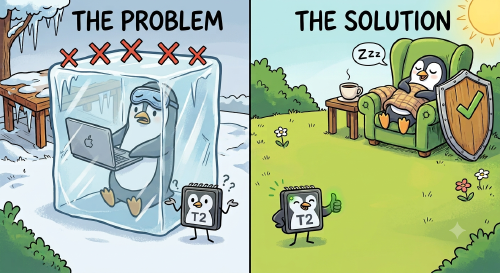
This guide documents how I fixed the black-screen-on-resume issue on a MacBook Pro 16,1 running Ubuntu 24.04 with the T2 Linux kernel. The Problem After closing the lid (or triggering suspend), the screen stays black on resume. The OS is alive (touchpad responds), but the display never wakes up. Root Cause The discrete AMD GPU (Radeon RX 5500M) doesn’t recover from suspend properly on the MBP 16,1. The fix is to:

    Friday, July 3, 2026 Read
    Hero Image
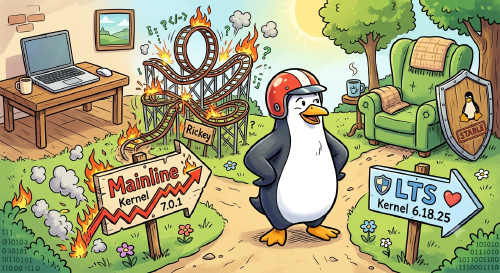
    Switch from Mainline to LTS Kernel (T2 MBP19)

    1. Install the LTS kernel sudo apt install linux-t2-lts 2. Make GRUB show the boot menu By default GRUB skips the menu and boots directly. To see the kernel selection screen, edit the GRUB config: sudo nano /etc/default/grub Change these lines: GRUB_TIMEOUT_STYLE=menu GRUB_TIMEOUT=5 Apply and reboot: ❯ sudo update-grub ❯ sudo reboot 3. Select the LTS kernel After the Apple boot manager (Option ⌥), the GRUB menu will appear. Select Advanced options for Ubuntu, then choose the LTS kernel (e.g. 6.18.25-1-t2-noble).

      Friday, July 3, 2026 Read
      Hero Image
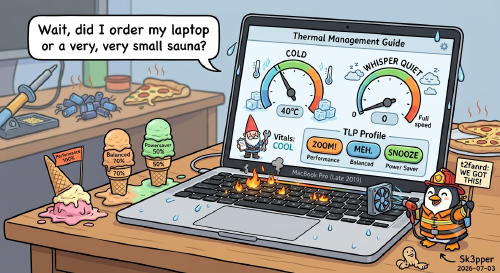
      Thermal Management Guide

      Overview This guide covers fan control, CPU temperature monitoring, thermal management, CPU frequency capping, throttle monitoring, power management (TLP), GNOME desktop setup, and keyboard customization for a MacBook Pro Late 2019 running t2linux-ubuntu. 1. Fan Control with t2fanrd Check Service Status sudo systemctl status t2fanrd Manage the Service sudo systemctl start t2fanrd sudo systemctl stop t2fanrd sudo systemctl restart t2fanrd sudo systemctl enable t2fanrd # start on boot sudo systemctl disable t2fanrd # disable on boot View Logs journalctl -u t2fanrd -f Configuration File sudo nano /etc/t2fand.conf Configuration Parameters Parameter Description low_temp Temperature (°C) where fans start spinning above minimum speed high_temp Temperature (°C) where fans reach maximum speed speed_curve How fan speed scales between low and high (linear, quadratic, etc.) always_full_speed If true, fans run at max RPM constantly, ignoring the curve Recommended Configuration [Fan1] low_temp=40 high_temp=80 speed_curve=linear always_full_speed=false [Fan2] low_temp=40 high_temp=80 speed_curve=linear always_full_speed=false Below 40°C → fans at minimum (quiet) Between 40–80°C → fans scale linearly At 80°C → fans at full speed CPU is safe up to ~100°C, so 80°C as full-speed trigger is conservative [!NOTE] After editing, always restart the service:
        Friday, July 3, 2026 Read
        Hero Image
        Second Life: Installing Ubuntu on MBP 2019 16-inch

        It’s Christmas Eve. I should probably be wrapping gifts or drinking hot cocoa. Instead, I found myself staring at my 2019 MacBook Pro, which was currently hot enough to roast chestnuts on an open fire. You know the feeling. You own what was once a “flagship” machine, but now it’s plagued by thermal throttling, fans that sound like a jet engine, and the looming threat of losing official macOS support next year. So, I decided to perform a holiday miracle. 🪄

          Monday, December 22, 2025 Read
          Navigation
          • Home
          • Top Posts
          • Experiences
          • Skills
          • Publications
          • Education
          Contact me:

          Toha Theme Logo Toha
          © 2026 Sk3pper. All rights reserved.
          Powered by Hugo Logo